Key Takeaways
- Salesforce Revenue Cloud is Salesforce’s native quote-to-cash platform; it is the modern successor to Salesforce CPQ, which covers configuration, pricing, quoting, contracts, billing, and revenue management in one system. That’s why it’s also called revenue management.
- Legacy Salesforce CPQ stopped being sold to new customers in March 2025. Existing CPQ customers can still use that, but anyone starting fresh is now advised to use Revenue Cloud.
- A Salesforce Revenue Cloud implementation typically costs 30,000–70,000 for a simple, single-product rollout, rising to 180,000–450,000+ for complex, multi-entity deployments; it depends on the organisation’s scope.
- Salesforce offers two Revenue Cloud pricing tiers: one starts at $150/user/month for Revenue Cloud Growth and $200/user/month for Revenue Cloud Advanced. Implementation costs are separate from these.
- Migrating from Salesforce CPQ isn’t urgent for existing customers, but it’s worth planning for, since Salesforce is now concentrated in Revenue Cloud, also known as Agentforce Revenue Management.
Quoting, contracting, billing, and revenue management are always handled manually or through spreadsheets. Salesforce built a system called Salesforce Revenue Cloud for organisations dealing with this; it is a single, native platform built to run the entire quote-to-cash process without the gaps that used to exist between CPQ, billing, and finance.
Acquiring a Salesforce Revenue Cloud implementation for an exact organisation system is a complex process. We have created this guide to solve this; this guide covers everything involved in a Salesforce Revenue Cloud implementation in 2026: what the platform actually does, what it costs, how it compares to legacy Salesforce CPQ, what a proper implementation includes, and how to choose the right Salesforce Revenue Cloud implementation partner.
If you’re already running CPQ and wondering whether or when to move, we also covered this, as many businesses are worried since Salesforce stopped CPQ for new customers, although existing customers are still able to use CPQ like before.
What Is Salesforce Revenue Cloud?
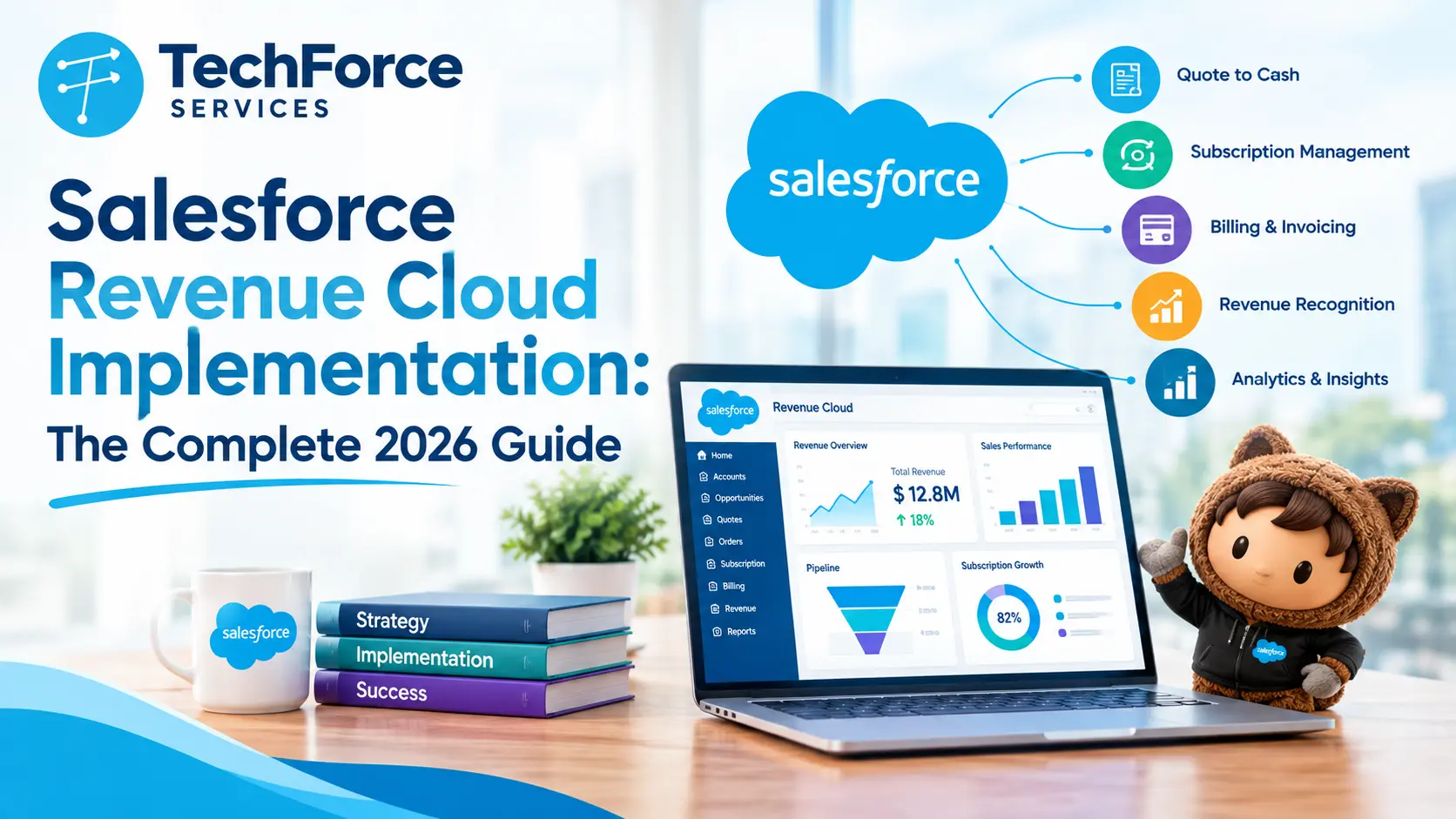
Salesforce Revenue Cloud is Salesforce’s native platform for managing the full revenue lifecycle from configuring and pricing a deal through quoting, contracting, ordering, billing, and revenue recognition.
It was previously marketed as Revenue Lifecycle Management (RLM) and Revenue Cloud Advanced, and it includes Agentforce (AI agent) capability in 2026, built directly into the revenue process.
It’s different from the legacy Salesforce CPQ model, which was a managed package layered on top of the Salesforce platform. Salesforce Revenue Cloud is built natively on Salesforce’s core data model. That means there are fewer integration workarounds, a more advanced product configurator, and tighter reporting across the full customer lifecycle; it’s also the platform in which Salesforce is actively investing.
Key Salesforce Revenue Cloud features include:
- A modern, native product configurator for complex bundles and options.
- Flexible pricing, including subscription and usage-based models.
- Native contract lifecycle management
- Built-in billing and invoicing
- AI-driven revenue intelligence and forecasting via Agentforce
Salesforce Revenue Cloud vs Salesforce CPQ: What's the Difference?
This is one of the most common questions about this topic in 2026, so it’s worth answering directly upfront. In March 2025, Salesforce placed legacy Salesforce CPQ into “End of Sale” status, and as per that, it’s no longer sold to new customers.
And that created confusion for the organisation already using CPQ or looking to integrate it. Here’s what that means and what it doesn’t:
- Existing CPQ customers: They will be unaffected. If your business is one of them, you can keep using CPQ, renew licences, add users, and get full support. There’s no announced end-of-life date and no forced migration for existing users.
- New customers: Salesforce now offers new implementations towards Salesforce Revenue Cloud rather than legacy CPQ for new customers, since new CPQ licences generally aren’t available after March 2025.
Here are some clear differences between Salesforce Revenue Cloud and Salesforce CPQ:
| Legacy Salesforce CPQ | Salesforce Revenue Cloud |
Architecture | Managed package on the platform | Native to the core Salesforce platform |
Scope | Configure, price, quote | Full quote-to-cash: CPQ, contracts, billing, revenue intelligence |
Availability | Existing customers only | Primary path for new customers |
AI capability | Limited | Native Agentforce for Revenue |
Best fit | Existing CPQ orgs continuing to invest | New implementations and platform refreshes |
The most practical answer to “Salesforce Revenue Cloud vs CPQ” is: if you’re new to this space, Revenue Cloud is where you should start. And if you already run CPQ and it works, there’s no urgency to change. But if you need to change platforms to use the new and advanced system, you can go with Salesforce Revenue Cloud since Salesforce’s own product investment is concentrated in that space as well.
How Much Does a Salesforce Revenue Cloud Implementation Cost? (Quick Answer)
Complexity | Typical scope | Cost (USD) | Timeline |
Simple | Standard CPQ, single product line, standard pricing, core CPQ functionality | 50,000–100,000 | 4–10 weeks |
Mid-complexity | Multiple product lines, contracts and billing in scope, one integration | 100,000–280,000 | 10–20 weeks |
Complex / enterprise | Multi-entity, subscription/usage-based pricing, multiple integrations, multi-currency | 280,000–750,000+ | 20–36+ weeks |
These costs cover the Salesforce Revenue Cloud implementation project that includes discovery, configuration, contracts and billing setup, integrations, data migration, and training.
Salesforce Revenue Cloud pricing (licence fees) is not included in this price; it’s just the implementation cost. Because Revenue Cloud covers more of the quote-to-cash cycle than CPQ and has more capability, that’s why the Salesforce Revenue Cloud implementation cost is a little higher than a CPQ-only implementation.
What's Included in a Salesforce Revenue Cloud Implementation
A Salesforce Revenue Cloud implementation typically offers more capabilities than CPQ, since it’s built to help an organisation handle contracts and billing inside one single system rather than leaving them to separate tools.
Salesforce Revenue Cloud works as a connected platform to manage multiple capabilities that are important to revenue lifecycle management. So, it’s important to understand what kind of capabilities or features are included during implementation to make it clear for organisations that are looking to invest in Revenue Cloud. Understanding each component below helps you check a partner’s proposal.
Here’s what should be in scope in Salesforce Revenue. Cloud Implementation:
1. Discovery and Requirements Gathering
A discovery phase during implementation requires mapping your current quoting, contracting, and billing processes end-to-end for every product and handing over every pricing rule and every handoff between systems before any configuration starts. It helps make the implementation process smoother and easily understandable to know what kind of capabilities are required for your organisation.
2. Product Catalogue and Configurator Setup
Implementation also includes structuring your product catalogue inside Revenue Cloud and configuring Revenue Cloud’s native product configurator to handle bundles, options, and pricing logic correctly. It helps organisations manage the complexity of combining subscriptions, usage-based pricing, etc. in a single system. It is also responsible for easy maintenance later or any extension in future.
3. Pricing, Quoting, and Approval Workflows
This phase covers building price rules, discount governance, and approval routeing. It’s the same discipline that made CPQ valuable in the first place, replacing approval with an automated process. This also includes quote templates to check what the customer actually sees when they open a quote, including line-item detail and terms.
4. Contracts and Billing Configuration
Setting up contract lifecycle management and billing/invoicing is a capability that required a separate tool or a CPQ add-on in the past in Salesforce CPQ. Now Salesforce has brought it into the same platform, as quoting is one of the practical advantages of Revenue Cloud. Anyone using CPQ must still treat it as a new capability being implemented.
5. Integrations
Most organisations still need to integrate Salesforce Revenue Cloud into an ERP system, an existing finance/billing platform where Revenue Cloud isn’t fully replacing them. This is consistently one of the higher-cost components in the project, since it involves understanding not just Revenue Cloud’s data model but also the systems on the other side of the integration.
6. Data Migration
This means moving product, pricing, and (where relevant) existing CPQ configuration and historical quote data into the new structure cleanly. For organisations migrating from legacy CPQ specifically, this step is important, since custom logic built up over years inside CPQ doesn’t always migrate as it is into Revenue Cloud’s model.
7. Testing, Training, and Go-Live Support
It includes user acceptance testing to confirm the system works right before real customers see it. Role-based training makes sure sales, finance, and operations teams actually know how to use it. And hands-on support in the first weeks after go-live catches the small issues before they become bigger ones.
Salesforce Revenue Cloud Pricing (2026)
Salesforce Revenue Cloud pricing is licensed per user, per month, billed annually, on top of a required Sales Cloud licence. The implementation cost is separate from this price, and each pricing model includes standard and advanced features; you can choose what’s best for your business revenue lifecycle.
Here is the official global list pricing for Salesforce Revenue Cloud:
Product | Price (USD/user/month) | What it includes |
Salesforce Revenue Cloud Growth | $150 | Streamlined CPQ and subscription management on native architecture |
Salesforce Revenue Cloud Advanced | $200 | Everything in Growth, plus contracts, orders, consumption billing, AI and analytics |
Salesforce CPQ (legacy) | $75 | Core configure, price, quote — existing customers only |
Salesforce CPQ+ (legacy) | $150 | CPQ plus advanced approvals and order management — existing customers only |
Salesforce Contracts | $50 | Standalone contract lifecycle management |
Source: Salesforce’s official global pricing pages for Salesforce Revenue Cloud and Salesforce CPQ. The actual pricing varies by seat count, contract length, and region; always confirm current pricing directly with Salesforce or your implementation partner.
Implementation and ongoing administration typically cost more in year one than the Salesforce Revenue Cloud pricing itself, which is why businesses who are looking to implement should focus on implementation budget rather than per-user pricing.
What Factors Affect Salesforce Revenue Cloud Implementation Cost
- Scope across the quote-to-cash cycle: A project covering just configure-price-quote is cheaper than one that also implements contracts, billing, and revenue recognition. It’s because there is less to cover to configure, test, and train users on.
- Number of products and pricing complexity: Simple, flat-priced catalogues cost less to configure than large catalogues with tiered, subscription, or usage-based pricing. As with large catalogues, it requires more configuration and testing.
- Integration requirements: Connecting to ERP, finance, or existing billing systems is one of the highest costs of a project, especially where Revenue Cloud isn’t fully replacing those systems. And that integration requires higher cost.
- Migration from legacy CPQ: If your organisation is moving from an existing Salesforce CPQ org rather than starting fresh, migrating configuration and historical data adds more work, hence more cost.
- Multi-entity and multi-currency requirements. Organisations operating across multiple legal entities or currencies need additional configuration and testing for each additional entity or currency. That requires another full process system rather than considering it the same.
- Data quality: Data quality cost depends on how clean the source data your organisation has; clean data migrates quickly; inconsistent legacy pricing or product data takes considerably longer to map and validate.
How to migrate from Salesforce CPQ to Revenue Cloud?
Salesforce CPQ to Revenue Cloud migration isn’t mandatory for existing customers, but it’s a common project as organisations plan their next platform. If your organisation is looking to migrate from Salesforce CPQ to Revenue Cloud, here are a few things worth knowing:
- There’s no forced deadline: Salesforce hasn’t announced an end-of-life date for legacy CPQ, so migration is a strategic choice, not a compliance requirement. You can keep using the CPQ with the same support.
- Migration depends on how customised your CPQ org is: If you have a straightforward CPQ setup that can migrate more easily than one with heavy custom logic built up over several years. So look at what you have and make a choice according to that.
- Simplify the new system: If you have decided to migrate from Salesforce CPQ to Revenue Cloud, take it to clean up pricing rules and product data that accumulated undocumented exceptions over time. It’s good to start with improvement of the old system.
- Plan it like a fresh implementation: Because Revenue Cloud’s architecture is genuinely different from CPQ’s managed-package model, the most important implementation components are still required, like discovery, configuration, and testing.
Salesforce Revenue Cloud Implementation Best Practices
- Define measurable objectives up front: Before any configuration work starts, list out specific, measurable goals for faster quote turnaround, cleaner billing, and fewer manual handoffs between departments. It helps after go-live to recognise whether the implementation delivered as it was set out to.
- Don’t skip discovery: Always map your actual current process that includes messy or undocumented expectations your team handles informally today. Every expectation during the build costs more.
- Start with core scope: Don’t try to implement configure-price-quote, contracts, and billing all in phase; that’s a risky task to do. Many successful projects start with a CPQ-equivalent scope and add billing/contracts capabilities in a later phase.
- Treat data migration as its own workstream: If you’re migrating from legacy CPQ, where custom configuration needs careful mapping rather than a direct copy, treat migration as its own project to handle with complete care & validation.
- Involve finance and revenue operations early: Since Revenue Cloud’s scope extends well past the sales team into billing and revenue recognition, a project planned only from the sales team’s perspective is likely to miss requirements that finance would have flagged immediately. So involve finance and revenue operations early.
- Invest in training: Always keep a dedicated budget for training to adopt the system’s technicalities and functionalities. This is to make sure that the project is actually delivering the ROI.
Choosing a Salesforce Revenue Cloud Implementation Partner
Because Salesforce Revenue Cloud is a newer platform than legacy CPQ, genuinely experienced implementation talent is still required, as plenty of consultants can describe the platform, but fewer have actually delivered multiple real-world projects on it.
When evaluating a Salesforce Revenue Cloud implementation partner, always look for these qualities:
- Check if the consultant can demonstrate delivery experience on Revenue Cloud specifically, not just legacy CPQ experience relabelled.
- They must have a clear point of view or tell you when to migrate from CPQ versus when not to – specific to your business.
- The implementation partner must have experience scoping projects that include sales, finance, and revenue operations, not just the sales-oriented quoting piece.
- A good partner should be able to explain which part is costing what with proper transparency rather than handing you one total figure.
Typical global rate bands for a Salesforce Revenue Cloud consultant:
- Independent/freelance specialists: They roughly charge $50-$100/hour, and that’s reasonable for smaller, well-defined projects, but finding a genuinely experienced Revenue Cloud freelancer is still the hard task.
- Offshore delivery teams: They charge roughly around $60–$130/hour and they can genuinely reduce the cost of well-scoped work, although always confirm whether the consultant has actual Revenue Cloud experience, not just CPQ.
- Established consulting firms (onshore, Western markets): They roughly charge $175–$275/hour, as they have specialists with proven Revenue Cloud delivery experience.
Is Salesforce Revenue Cloud Worth It?
Businesses running fragmented quote-to-cash processes across CPQ, a separate billing tool, and manual contract tracking often lose time. As a result, a quote that can be generated in 10 minutes takes two days, as waiting for someone in finance to manually re-enter it into a billing system with follow-up takes time.
Salesforce Revenue Cloud helps solve that problem by bringing that into one native platform where your organisation has fewer reconciliation problems between what was quoted, what was contracted, and what was actually billed.
As with any platform, the return depends far more on proper scoping and adoption than on the software itself. Organisations that see the strongest results are the ones that involve finance and revenue operations from day one, rather than treating Revenue Cloud as a sales-team-only project.
So yes, it’s worth the investment if you use it as one native platform by integrating finance and revenue operations, since Revenue Cloud’s value specifically comes from capability (contracts, billing).
Conclusion
Salesforce Revenue Cloud is now the default starting point for any organisation implementing quote-to-cash capability on Salesforce. And it covers more of the revenue cycle than legacy CPQ ever did, with fewer integration gaps and Salesforce’s ongoing product investment behind it.
Existing CPQ customers should not be in a hurry to adopt the new Revenue Cloud, but the fundamentals of a successful project are the same either way, with clear objectives, discovery, and configuration rollout. To get better ROI on Salesforce Revenue Cloud, use it to its full potential, including sales, finance, and operations together.
If you’re planning a Salesforce Revenue Cloud implementation, whether starting fresh or migrating from CPQ, TechForce Services can scope it properly, as a Salesforce Summit Partner with delivery experience across Australia, the US, UK, Singapore, and India.

Whether you’re starting fresh or migrating from Salesforce CPQ, TechForce Services can scope your Revenue Cloud implementation properly, as a Salesforce Summit Partner with delivery teams across Australia, the US, the UK, Singapore, and India.
FAQs About Salesforce Revenue Cloud Implementation
What is Salesforce Revenue Cloud?
Salesforce Revenue Cloud is Salesforce’s native platform for the full quote-to-cash process that includes configuring products, pricing, quoting, contracts, billing, and revenue recognition. It is built directly on the core Salesforce platform rather than as an add-on package. It was earlier known as Revenue Lifecycle Management (RLM), reflecting its scope across the entire customer revenue lifecycle.
What's the difference between Salesforce Revenue Cloud and Salesforce CPQ?
Legacy CPQ is a managed package covering configure-price-quote only, and it was installed on top of the Salesforce platform. Salesforce Revenue Cloud is built on the platform itself and covers the full quote-to-cash lifecycle, including contracts and billing. It is now Salesforce’s primary platform for new customers since Salesforce CPQ’s End of Sale status for new customers.
How much does a Salesforce Revenue Cloud implementation cost?
Most Salesforce Revenue Cloud implementation projects run from $50,000 for a simple, single-product rollout to 180,000–750,000+ for complex, multi-entity, multi-integration deployments. This is separate from ongoing licence fees, and the exact figure depends heavily on how much of the quote-to-cash cycle is included in the initial scope.
Is Salesforce CPQ being discontinued?
Legacy Salesforce CPQ entered “End of Sale” status in March 2025; it’s no longer sold to new customers, but existing customers can continue using it, renew licences, and receive full support. It’s just a sales restriction, as they have introduced Salesforce Revenue Cloud for new customers.
Should I migrate from Salesforce CPQ to Revenue Cloud?
There’s no forced deadline from Salesforce. A Salesforce CPQ to Revenue Cloud migration is good if you’re planning to move to a broader platform or your current CPQ setup is limiting the business. Salesforce Revenue Cloud can solve that problem for you, as it covers the full quote-to-cash lifecycle (contracts and billing).
How long does a Salesforce Revenue Cloud implementation take?
A simple implementation typically takes 4–10 weeks. Mid-complexity projects take 10–20 weeks, and complex, multi-entity deployments can take 20–36 weeks or longer, depending on their multi-entity deployments with several integrations.