
TechForce Services on where a loan file loses its time, then one 40-page broker pack split, read and checked live inside Salesforce.
TechForce Services set out where a loan file loses its time. CloudFiles then ran one broker’s pack through Salesforce, live.
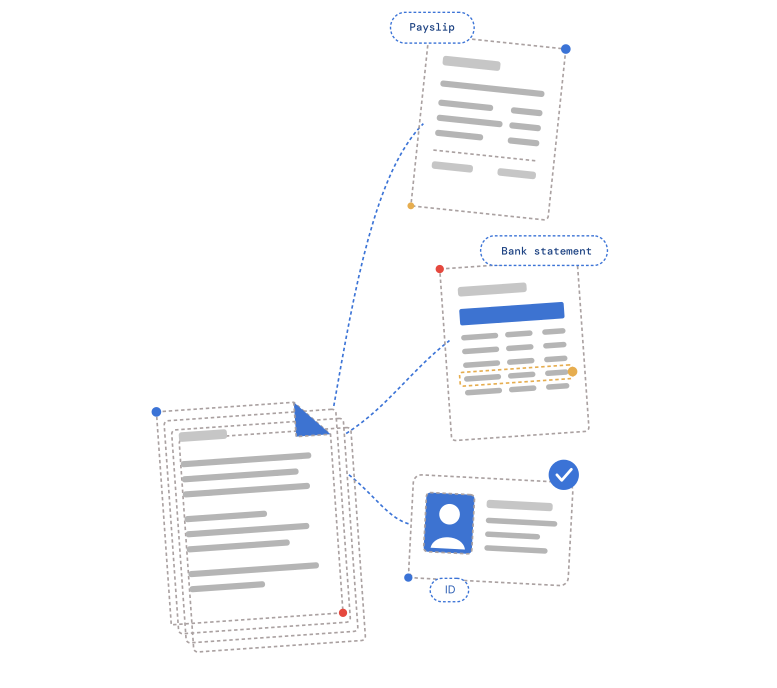
Ravi opened with the Harpers. Their broker sends the application as one PDF: forty pages, no index, a handwritten form, payslips for both applicants, three months of bank statements, an ID and an employment letter, in whatever order they came off the scanner. The lender cannot make brokers change, so the team works through it by hand.
Every page is opened just to work out what it is.
The details are keyed into the loan record, and payslips are checked by eye.
What is missing surfaces late, and the broker is asked again.
The moments that matter from the session, about a minute each. The full recording is further down.
One combined PDF with the pages out of order, a dozen loose attachments, a portal, or half now and the rest next week. The lender takes all of it.
The Harper pack goes in as one PDF and comes out as payslips, bank statements, IDs and the application, each one named and filed.
Chloe declared A$98,000 a year and her payslips show A$88,404, so the gap was flagged. Liam’s driver licence was missing, so the broker was sent for it. The assessor was left with one decision. The demo ran in a CloudFiles demo org on invented data.

Development Lead | Lead Developer
TechForce Services

Head of Pre-Sales
CloudFiles
TechForce Services will walk through your process with you and give you a written view of where documents slow it down.
No. Everyone who registered is emailed the recording, the slides and the sample file. The form is here for everyone else, and it is quicker than finding the email.
Yes. The Harpers’ application was handwritten, and it filled in the loan record in the demo.
In your own SharePoint, Google Drive or AWS S3, linked to the Salesforce record.
No. It works with Financial Services Cloud or with your own custom objects.
A person, every time. Everything before it is done as documents arrive, and recorded in Salesforce.
Yes. Claims, account opening, anything that arrives as one PDF with six things inside it is the same job with different paperwork.
In Salesforce, go to Setup, search for Company Information, and copy the Salesforce.com Organization ID. It starts with 00D. A sandbox has its own Org ID, so copy it from the sandbox if that is where you will install.
The full session, the slides and the 40-page sample file.